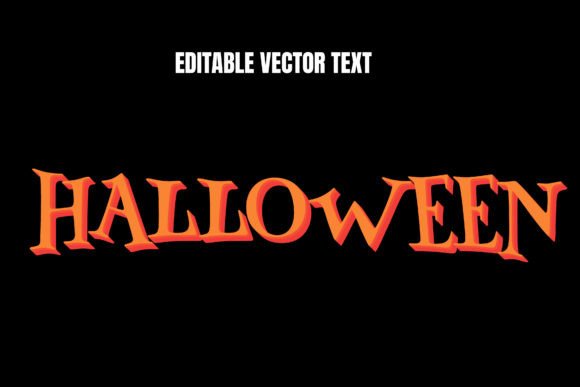
Mastering the Halloween Editable Vector Text Effect for Spooky Season Design
Every year, as October approaches, the demand for seasonal content spikes across every digital and physical platform. For creators, marketers, and small business owners, this period represents a critical window to engage audiences with thematic visuals. However, the pressure to produce high-quality, on-brand graphics often clashes with tight deadlines and limited design resources. This is where a Halloween editable vector text effect becomes an indispensable asset in your creative toolkit. Unlike static images or rigid templates, these vector-based solutions offer the flexibility needed to adapt quickly to changing campaign needs while maintaining professional polish.
Understanding the practical value of these tools goes beyond knowing how to install a font or apply a layer style. It is about recognizing how scalable, customizable typography can streamline your workflow during the busiest time of the year. Whether you are designing a flyer for a local haunted house, creating social media assets for an e-commerce store, or preparing educational materials for a classroom, the right text effect can elevate your project from generic to captivating without requiring hours of manual illustration.
Why Vector Flexibility Matters in Seasonal Design
The primary advantage of using a Halloween editable vector text effect lies in its scalability and editability. Raster images, such as JPEGs or PNGs, lose quality when resized, which can be disastrous when you need the same design for both a tiny Instagram story and a large-format banner. Vector graphics, built on mathematical paths rather than pixels, remain crisp at any size. This technical benefit translates directly into time savings. You create one master file and deploy it across multiple channels without worrying about resolution issues or blurry edges.
Furthermore, "editable" is the key operative word here. Many designers have encountered frustrating templates where changing the text breaks the entire layout or requires complex masking techniques. A well-constructed vector text effect allows you to swap out phrases instantly. If your initial headline was "Spooky Sale," but you later decide "Haunted Deals" performs better, you can make that change in seconds. This agility is crucial for A/B testing marketing copy or responding to real-time trends during the Halloween season.
Real-World Applications for Businesses and Marketers
For small business owners and entrepreneurs, the Halloween season is a significant revenue driver. Retailers, restaurants, and service providers often launch themed promotions that require immediate visual support. Using a Halloween editable vector text effect allows these businesses to maintain brand consistency while adopting seasonal aesthetics. For instance, a boutique coffee shop might use a dripping, blood-red vector text style to announce a "Pumpkin Spice Latte" special. Because the effect is vector-based, they can easily apply their exact brand colors to the effect, ensuring the spooky theme does not overshadow their brand identity.
Marketing agencies also benefit significantly from these resources. When managing multiple clients, speed is essential. Instead of building complex text styles from scratch for each client’s Halloween campaign, agencies can utilize pre-made vector effects as a foundation. They can then customize the textures, colors, and fonts to match each client’s unique voice. This approach reduces billable hours spent on repetitive tasks while delivering high-impact visuals that drive engagement. The ability to quickly iterate on designs means marketers can test different messaging strategies without incurring prohibitive design costs.
Educational and Community Use Cases
Beyond commercial applications, educators and community organizers find immense value in accessible design tools. Teachers often look for engaging ways to decorate classrooms or create handouts for Halloween-themed lessons. A Halloween editable vector text effect can be used to create eye-catching headers for worksheets, posters for school plays, or invitations for parent-teacher events. Since vectors are easy to print at high quality, teachers can produce durable materials that look professional rather than amateurish.
Similarly, local community groups organizing trick-or-treat routes, charity runs, or neighborhood parties need clear, attractive signage. Volunteers managing these events rarely have access to professional design software or skills. By using simple, editable vector templates, they can produce clear, legible, and festive signs that enhance safety and community spirit. The ease of editing ensures that last-minute changes to times or locations can be updated quickly before printing.
Choosing the Right Effect for Your Project
Not all text effects are created equal, and selecting the right one requires considering the context of your project. When browsing for a Halloween editable vector text effect, pay attention to the complexity of the style. Some effects feature intricate details like cobwebs, bats, or slime drips. While visually striking, these can become illegible if used with long paragraphs of text. These detailed effects are best reserved for short headlines or logos where impact is more important than readability.
Conversely, simpler effects that rely on color gradients, subtle shadows, or textured fills are more versatile. They work well for body text, subheadings, or informational graphics where clarity is paramount. Consider the background you will be placing the text on. A dark, moody vector effect might disappear against a black background, while a bright, neon-style effect could clash with a pastel-themed design. Always preview the effect in the actual environment where it will be used to ensure sufficient contrast and visual harmony.
Another critical factor is compatibility. Ensure that the vector file format works with your preferred design software. Most professional designers use Adobe Illustrator, but many hobbyists and small business owners rely on free or affordable alternatives like Inkscape, Affinity Designer, or even online editors like Canva. Check whether the Halloween editable vector text effect comes in universally compatible formats like SVG or EPS, or if it requires specific proprietary software. Downloading a file you cannot open or edit defeats the purpose of seeking an efficient solution.
Practical Tips for Implementation
To get the most out of your chosen text effect, start by planning your hierarchy. Decide which words need the most emphasis and apply the strongest effects there. Avoid applying heavy Halloween textures to every piece of text on a page, as this creates visual noise and dilutes the impact. Use the vector effect strategically to guide the viewer’s eye to the most important information, such as dates, discounts, or event names.
Color customization is another area where vector files shine. Do not feel bound by the default colors provided in the template. Experiment with unconventional palettes that still fit the Halloween theme. For example, instead of traditional orange and black, try combining deep purples with electric greens for a modern, witchy aesthetic. Or use monochromatic schemes with varying opacities for a sophisticated, ghostly look. The vector format allows you to adjust these colors globally or individually, giving you complete creative control.
Finally, remember to optimize your files for their intended output. If you are designing for web use, export your vector text as SVG or high-resolution PNG to ensure fast loading times without sacrificing quality. For print materials, keep the file in its native vector format until the final stage to preserve editability and ensure sharp printing. By understanding the technical nuances of how these effects work, you can avoid common pitfalls and produce polished, professional results.
Incorporating a Halloween editable vector text effect into your design workflow is not just about adding a festive touch; it is about working smarter. It empowers you to respond quickly to seasonal opportunities, maintain high visual standards, and engage your audience effectively. Whether you are a seasoned designer looking to speed up your process or a small business owner handling your own marketing, these tools provide the flexibility and quality needed to stand out in a crowded seasonal landscape. By choosing the right effects and applying them thoughtfully, you can create memorable Halloween content that resonates with your audience and achieves your goals.